Welcome to Y2Mate, a browser-based YouTube downloader and converter for downloading MP3 music and MP4 videos when conversion is available. Use keyword search to explore matches, or paste a YouTube Link to open a specific video's conversion choices. This YouTube Converter works through your browser without required software installation or a YouTube account, while source access, service availability and usage restrictions determine which downloads can proceed.
Trending
The local chart is temporarily unavailable. Search for a title or artist above.
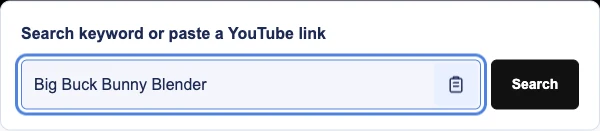
Enter descriptive music keywords and select Search, or paste a YouTube Link and select Convert. Keywords lead to video results; a recognized link takes you directly to that video's converter.
Select Your Video and MP3 or MP4
Choose the matching video, checking the channel and length before proceeding. Select MP3 for music or MP4 to retain video, then choose from the quality settings currently offered.
Download the File to Your Device
Use Download when the prepared file is offered. Let your browser handle saving, accept a destination prompt if shown, and check its download panel for completion before opening the file.
Y2Mate Converter Tools
Use One Search Field for Keywords and Links
Switch between discovering music and opening a known YouTube Link in the same form. The clipboard control may request optional permission; declining it still leaves manual paste available through your keyboard or device menu.
Search Trending Music and Convert Related Songs
Trending provides a starting point when you have not selected a song. Its Download control launches a song search, whereas Download beside a related song opens that selection's conversion choices.
Change the Browser's Dark Appearance
Choose the dark appearance to suit your screen and surroundings. The browser interface provides the same search and conversion workflow across its layout; appearance changes do not alter file quality or format.
YouTube to MP3 Converter for Music Downloads
An MP3 download keeps the music without the video portion, which can make a collection easier to store. The YouTube Mp3 Downloader may offer MP3 320kbps, 256kbps and 128kbps depending on the source and options offered by the conversion service. For comparable durations, 128kbps favors smaller files, 256kbps balances size and detail, and 320kbps requires more space. A higher setting cannot restore missing detail from the source.
YouTube to MP4 Downloader with Resolution Choices
Use the YouTube Mp4 Converter when movement, demonstrations or on-screen text are part of what you need. MP4 choices may include HD at 1080p or 720p, alongside 480p, 360p, 240p and 144p, depending on the source and converter availability. For text-heavy material, consider readability before reducing resolution. Smaller selections can conserve storage, but the offered menu varies by video and does not establish that a download will succeed.
Search Music Keywords or Open a YouTube Link
A precise search combines the artist with a distinctive title rather than a broad genre alone. Add a version name when several releases share the same title, then compare the matching videos before conversion. A known YouTube Link avoids that selection process: it identifies one video directly. Neither route changes whether the source is accessible or which conversion choices the service can offer.
Find Browser Downloads on Android, iPhone and Desktop
Y2Mate Downloader uses the browser's saving controls, so file location depends on your settings. Android users can usually look in Downloads through a file manager, while iPhone users should check the browser's download list and its destination in Files. On desktop, use the download entry to open the containing folder. A saved file may need to be opened manually before another media application recognizes it.
Supported YouTube Link Formats
Recognized watch-page, shortened share and embedded-video YouTube Links open the converter for one video per conversion. Recognition alone does not establish source availability or successful conversion.
Standard Desktop URLs:youtube.com/watch?v=VIDEO_ID
Shortened Share URLs:youtu.be/VIDEO_ID
YouTube Shorts URLs:youtube.com/shorts/VIDEO_ID
Mobile URLs:m.youtube.com/watch?v=VIDEO_ID
Embedded Player URLs:youtube.com/embed/VIDEO_ID
Is Y2Mate Safe to Use?
Treat download pages and any third-party advertisements with care; browser access does not establish safety. Update your browser, retain its security protections and never provide a password to unlock a file. Close suspicious advertisements that imitate download controls or request urgent installation. Decline unwanted extensions and unrelated permissions, and inspect the saved file type before opening anything that was presented as MP3 or MP4.
Troubleshooting YouTube Link and MP3 Download Problems
If a YouTube Link produces an error, remove surrounding message text and check that the complete address identifies the intended video. When MP3 conversion fails, distinguish a service error from a browser download interruption. Check connectivity, storage and download permissions as appropriate, then allow time before retrying a temporary problem. Third-party processing can become unavailable; repeated submissions cannot resolve removed content or access restrictions.
Copyright Disclaimer
Disclaimer: Y2Mate is an independently operated YouTube downloader and converter. It is not affiliated with, endorsed by, or sponsored by YouTube or Google. YouTube and related names belong to their respective owners. References to those services describe compatible links and do not imply an official partnership.
Download only content that you own or have permission to save. Follow the applicable licence conditions, including attribution where required, as well as copyright law and YouTube's Terms of Service. Personal or non-commercial use does not automatically grant permission to copy or redistribute someone else's content.
Choose Download Settings and Locate Saved Files
Compare the selected video's length and channel with what you intended to save, especially when titles repeat. Choose a bitrate that suits your storage budget or a resolution that preserves necessary visual detail. Note your browser's destination folder before downloading, then use a descriptive filename to make the completed file easier to find later.
Frequently Asked Downloader and Conversion Questions
What does Y2Mate do with a selected video?
Y2Mate is a YouTube downloader and converter that connects video selection with available MP3 or MP4 conversion. It accepts keywords or a YouTube Link, presents the relevant choices and lets the browser save an offered file. Processing depends on source access and service availability.
How can I convert a selected song to MP3?
Search for the song or paste its YouTube Link, then confirm the intended video. Choose MP3 and an available bitrate before starting conversion. Use the offered Download control when ready, and check the browser's transfer status rather than assuming that conversion completion means saving has finished.
Is browser conversion free, or is there a fee?
Basic website use is free, with no required subscription for the browser workflow. Usage limits, advertisements and service restrictions may apply. Third-party offers can carry separate charges, so inspect any payment request carefully instead of treating it as a necessary download step.
Must I install an app or browser extension?
You can use the website through a browser without installing additional software or an extension. File saving uses existing browser controls. If another page asks you to install a helper program, return to the converter rather than assuming that installation belongs to the normal process.
Can I use Y2Mate downloads on Android and iPhone?
Use a current browser on Android or iPhone and allow file saving only when you intend to download. Android commonly stores files in Downloads; iPhone saving may use a selected Files folder. Check available space and the browser's destination settings if a completed file is difficult to locate.
Which MP3 bitrates affect file size and quality?
The YouTube Mp3 Converter may provide MP3 quality choices of 320kbps, 256kbps and 128kbps, depending on the source and conversion service. Larger bitrates generally create larger files for the same duration. They cannot recover detail absent from the original, so choose among the settings actually displayed.
When should I select MP4 instead of MP3?
Select MP4 when you need the video's visual content as well as its sound. Choose an offered resolution based on readability and storage needs; MP3 does not retain the video portion. Available MP4 settings depend on the source and converter, and playback support can vary between applications.
Why is a YouTube Link unavailable after pasting?
The YouTube Link may be incomplete, or the video may have been removed, made private or restricted. Check the copied address and try opening the original video normally. Correcting a copying mistake can help recognition, but a recognized address does not override source access restrictions.
What should I check when MP3 conversion cannot finish?
A conversion error can occur when the processing service is unavailable or a connection is interrupted. Check the error message and test your connection before trying again later. If an MP3 file was already offered, inspect browser download permissions and storage instead of repeatedly restarting processing.
How can I take safer download precautions?
Keep browser security warnings enabled and avoid advertisements that resemble system alerts. Never enter a password or approve an unexpected installer to continue. Check that the downloaded item matches the expected media format, and stop if the page redirects you toward unfamiliar software or unrelated permission requests.
Can I download without a YouTube account or login?
No YouTube account is required, and you do not need to sign in to use the converter. Do not submit YouTube credentials through download forms. Content that requires authenticated access may be unavailable here; the service should not be used to bypass those restrictions.
How do copyright and permission affect downloading?
Check copyright permission, applicable law and YouTube terms before saving or reusing content. These are separate considerations: technical availability does not establish authorization. Licence conditions may also limit sharing or modification, and keeping a file for personal use does not automatically settle whether downloading is permitted.